
One Leader drives dev and review
The Leader opens cards, dispatches workers, watches each one finish, verifies the deliverable and organizes review. Your attention returns to what you want.
State the goal once. The Leader splits cards, dispatches persistent workers, tracks every turn to completion, verifies deliverables, and organizes review — on a live project board you can read at a glance.
dsh plugin --profile web add dsh-leader-agent
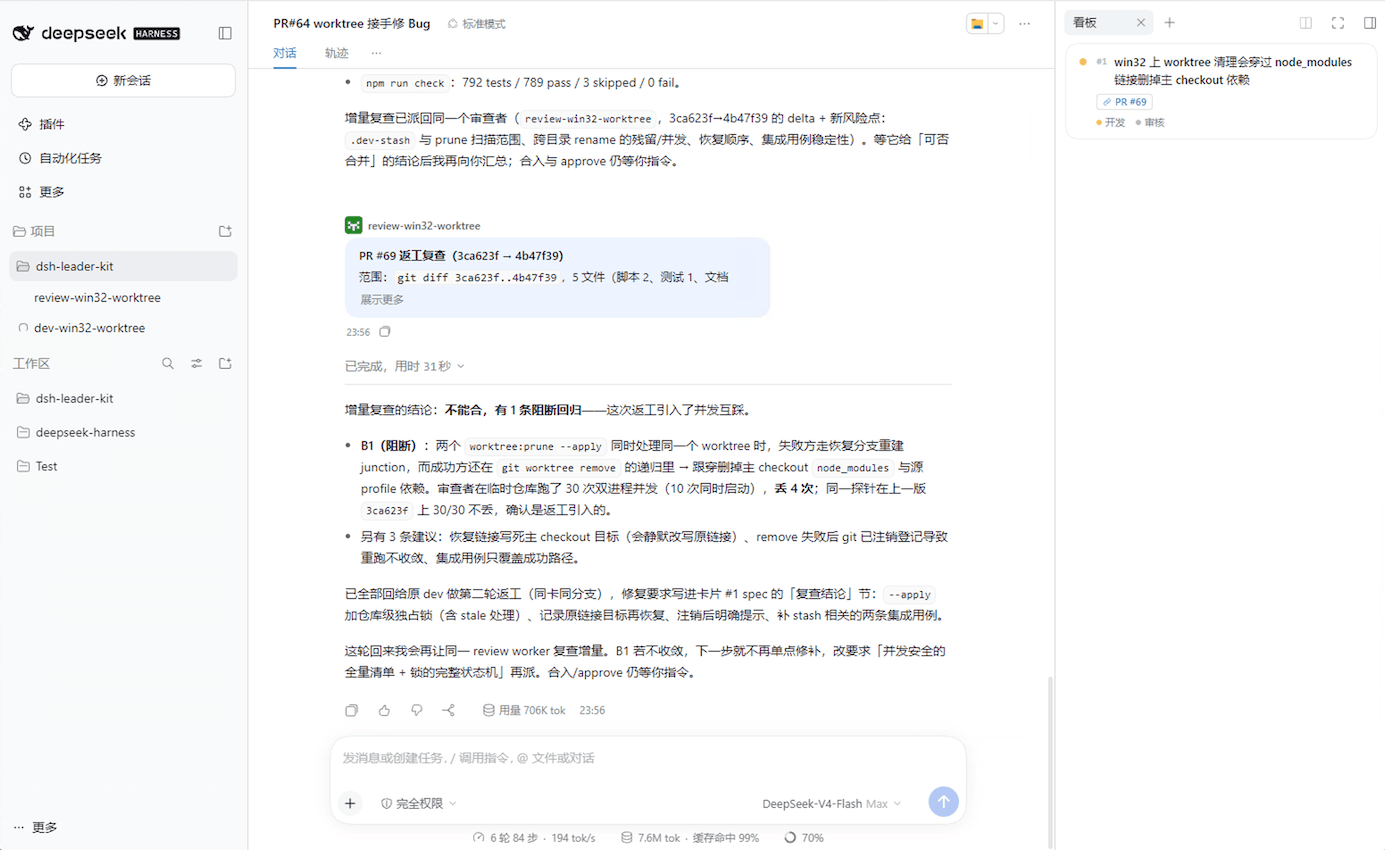
Each project binds one Leader session and lists every persistent worker it spawned underneath.
One thread for goal, dispatch, automated worker reports, verification, and review verdicts.
One card per task with executor slot chips and live status lights — click any slot to drill straight in.
A clear separation of roles: you steer the goal, the Leader owns dispatch and quality, and workers execute in parallel.
Talk only to the Leader. Scope, acceptance criteria, and links land on structured project cards.
The Leader spawns or reuses persistent worker sessions shaped by SLOTS.md (dev, review, and more).
Workers run autonomously in the background, settle their own cards when a turn ends, and report back.
The Leader inspects deliverables, routes independent review, and summarizes what is ready to merge.
Everything needed to coordinate a team of coding agents without losing visibility or control.
The Leader opens cards, dispatches workers, watches each one finish, verifies the deliverable and organizes review. Your attention returns to what you want.
One board per project. Each card carries its executor slot and a live status light; click a slot to drill into that agent's session and keep talking.
LEADER.md holds the orchestration rules, SLOTS.md gives each worker role its own rules. Editing a file changes behavior live — no session restart.
The project tree lists the workers each Leader spawned. Swap in a new Leader and the existing workers plus undelivered reports move over seamlessly.
read_worker_session reads a worker's session log directly — every turn, every tool call, why anything failed — without waking it or triggering a model call.
When a dispatched turn produces no report for 15 minutes, a patrol notice arrives with the session id, its card and a copy-pasteable read-back call.
See how a single Leader orchestrates parallel coding and review sessions inside DeepSeek Harness.
Install on DeepSeek Harness Web or Desktop. The delivery board lives in the Web profile.
Profile must be named web. Install the bundle and launch DeepSeek Harness Web:
Install directly inside DeepSeek Harness Desktop without touching the terminal:
Click Plugins in the left sidebar of DeepSeek Harness Desktop.
Click Add plugin in the top right and enter dsh-leader-agent.
Click Install to add the plugin to Desktop.
Quit DeepSeek Harness Desktop completely first, then run the CLI bundled with the app: